Native macOS · Swift · Open source

One menu bar.
Every client's cloud.

The macOS menu bar for freelance cloud engineers and independent DevOps consultants. Manage GCP IAP, AWS SSM, Cloud SQL Proxy and SSH tunnels across every client account — without the CLI ceremony, re-auth dance, or alt-tab tax.

$ brew install fourninecs/tap/cloudtunnels
View on GitHub
macOS 13+ · Universal binary · MIT-licensed
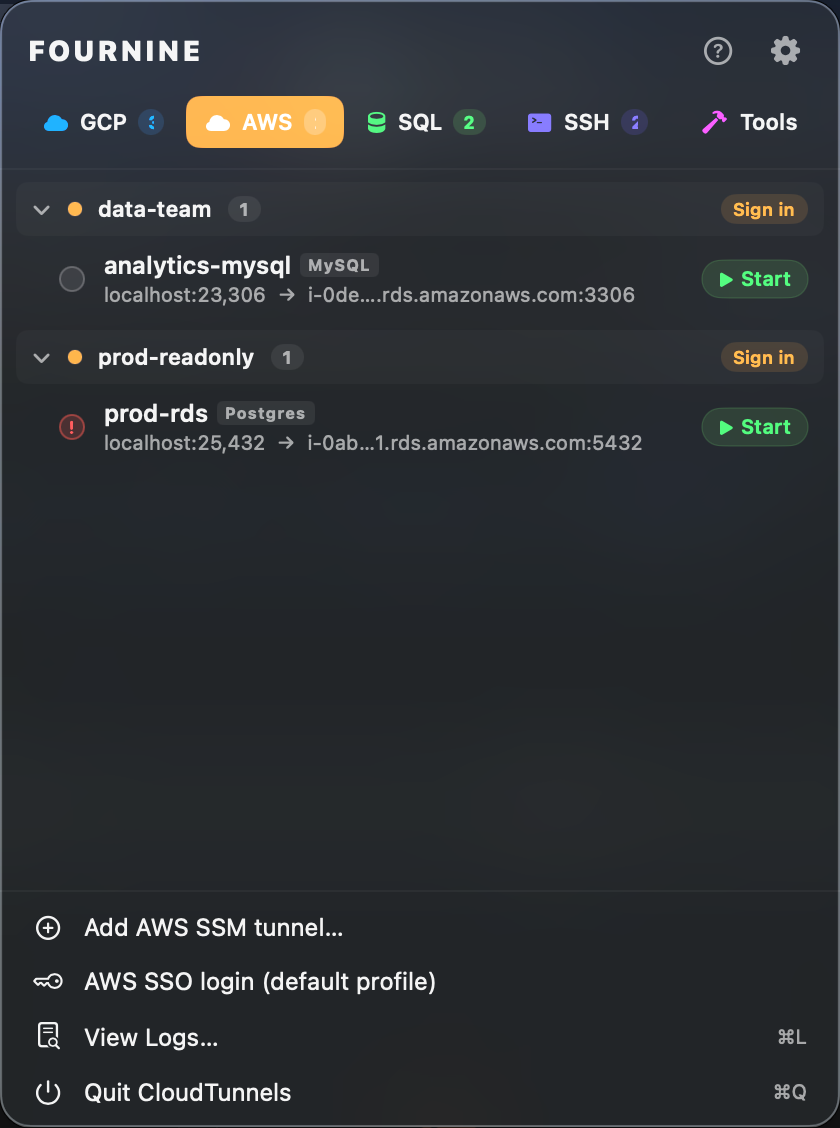
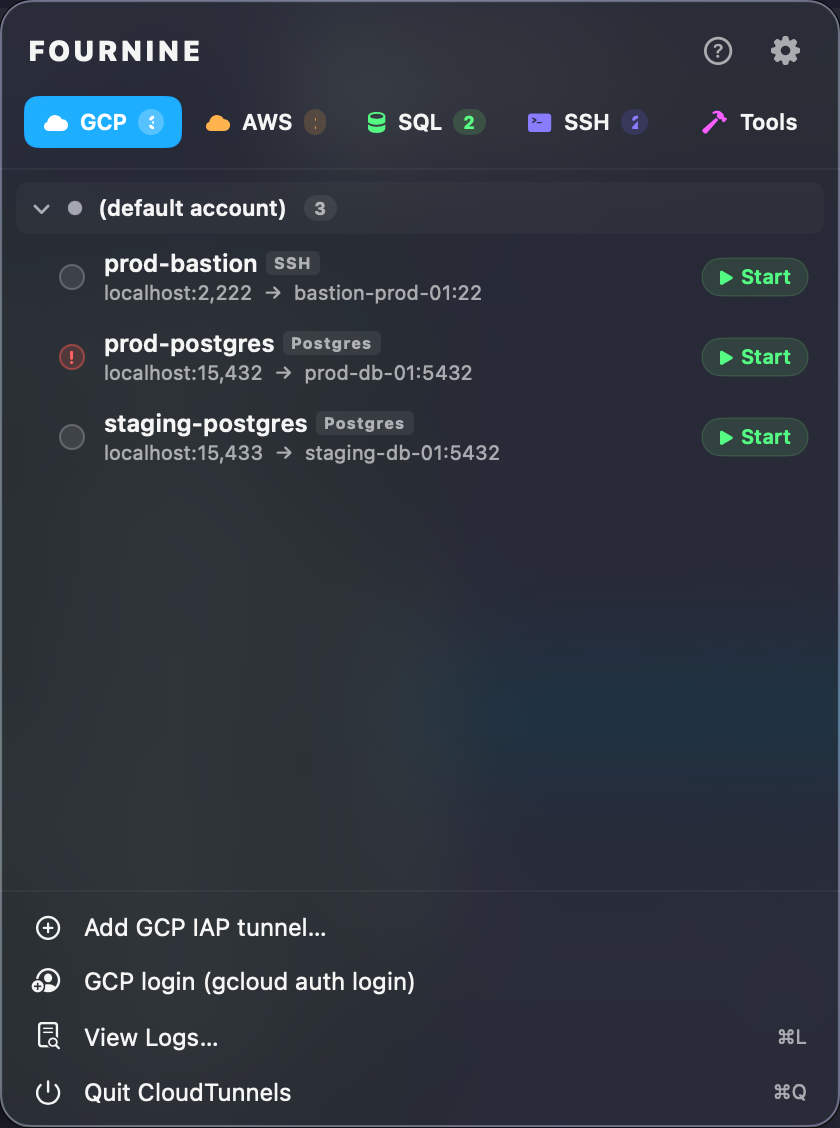
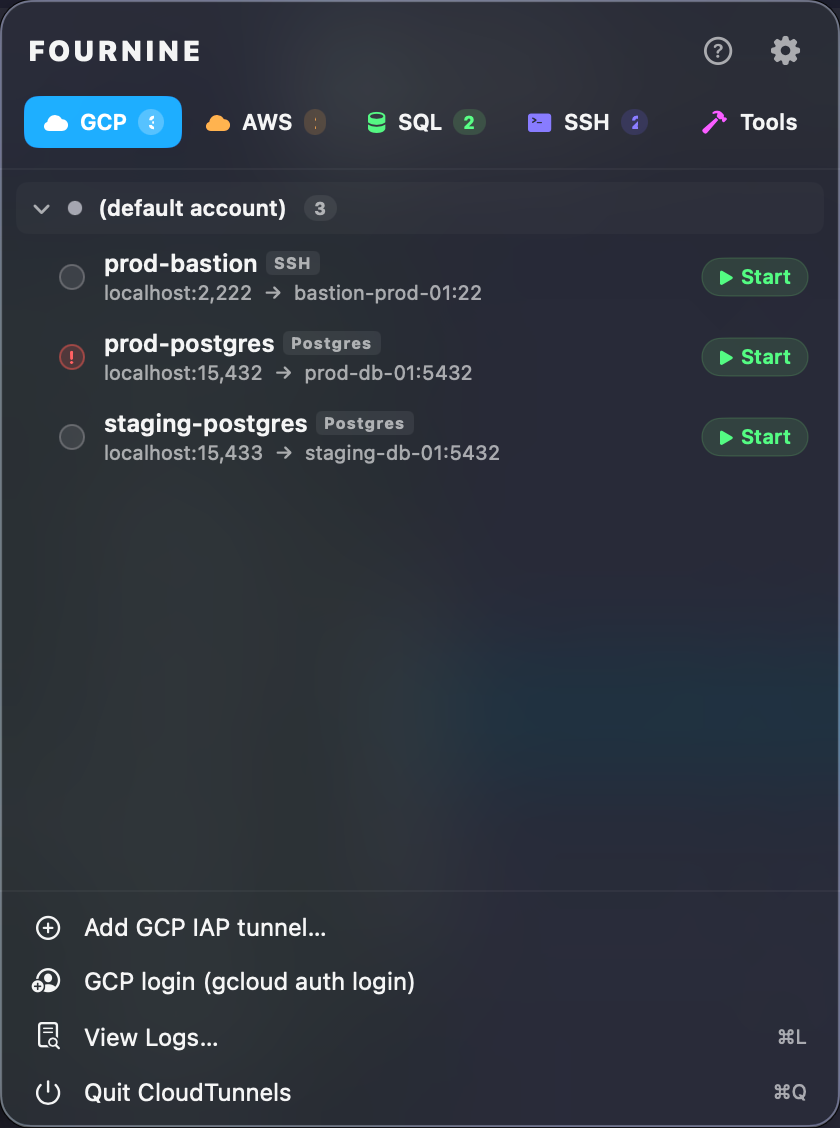
CloudTunnels menu bar app showing a GCP IAP tunnel list with active and pending states
01The freelancer math

If you bill by the hour,
this tool is unbillable hours back.

Every minute lost to gcloud auth login, aws sso login --profile=, and figuring out which port collides with what — that's time you can't put on an invoice. Run the numbers for yourself.

If you bill at $100/hr and lose 30 minutes a day to cloud CLI ceremony across 4 clients, CloudTunnels pays you back ~$13,000 a year — and that's before counting the focus tax of context-switching between profiles, regions, and SSH configs.
Hourly rate $100
Minutes saved / day 30 min
Active clients 4
Annual savings (≈)
$13,000
at 250 billable days · 4 clients × 30 min
02Who this is for

Built for the people
juggling everyone else's cloud.

If you're on a salary at one company with one GCP project, you don't need this. If half your terminal history is gcloud config configurations activate, you do.

Freelance DevOps Consultant

3–8 clients. All different stacks.

Each client has their own GCP org, AWS org, naming conventions, and tunnel scripts. You spend the first 15 minutes of every session re-authing and finding the right port.

Per-tunnel account pinning. One click to switch contexts. The CLI never leaks state between clients.
Independent Platform Engineer

Ship infra for two startups this quarter.

You're paid to deliver, not to remember which kubeconfig wants proxy-url set. Auth tokens expire mid-flow and silently break psql sessions.

Kubeconfig auto-patch on tunnel up/down. Auth-expiry detection that pauses retries instead of hammering. Reconnect on net drops.
Solo Founder Running Prod

Your prod is the bastion is the bastion.

You don't have a platform team. The thing standing between you and a 2 a.m. page is a ~/notes/tunnels.md file you wrote six months ago.

Every tunnel saved, named, and one-click. Quick actions open k9s, psql, or a browser directly. Stop alt-tabbing through bash history.
03Four providers, one workflow

Whatever the cloud,
the same menu bar.

Each provider has its own quirks — auth ceremony, port semantics, expiry behavior. CloudTunnels normalizes them. Status, retries, port allocation, kill semantics, account pinning: identical across all four.

01

GCP IAP

gcloud compute start-iap-tunnel

Direct IAP tunnels to instances behind a private network — without typing the command every time, and without losing your account context.

per-tunnel gcloud account pinning — multiple client identities, no re-auth between them.
GCP IAP tunnel panel
02

AWS SSM

aws ssm start-session

SSM-managed port-forwards, including bastion-to-RDS chains. SSO flows handled, region collisions impossible.

profile + region override per tunnel — no more AWS_PROFILE landmines in your shell.
AWS SSM tunnel panel
03

Cloud SQL Proxy

cloud-sql-proxy v2

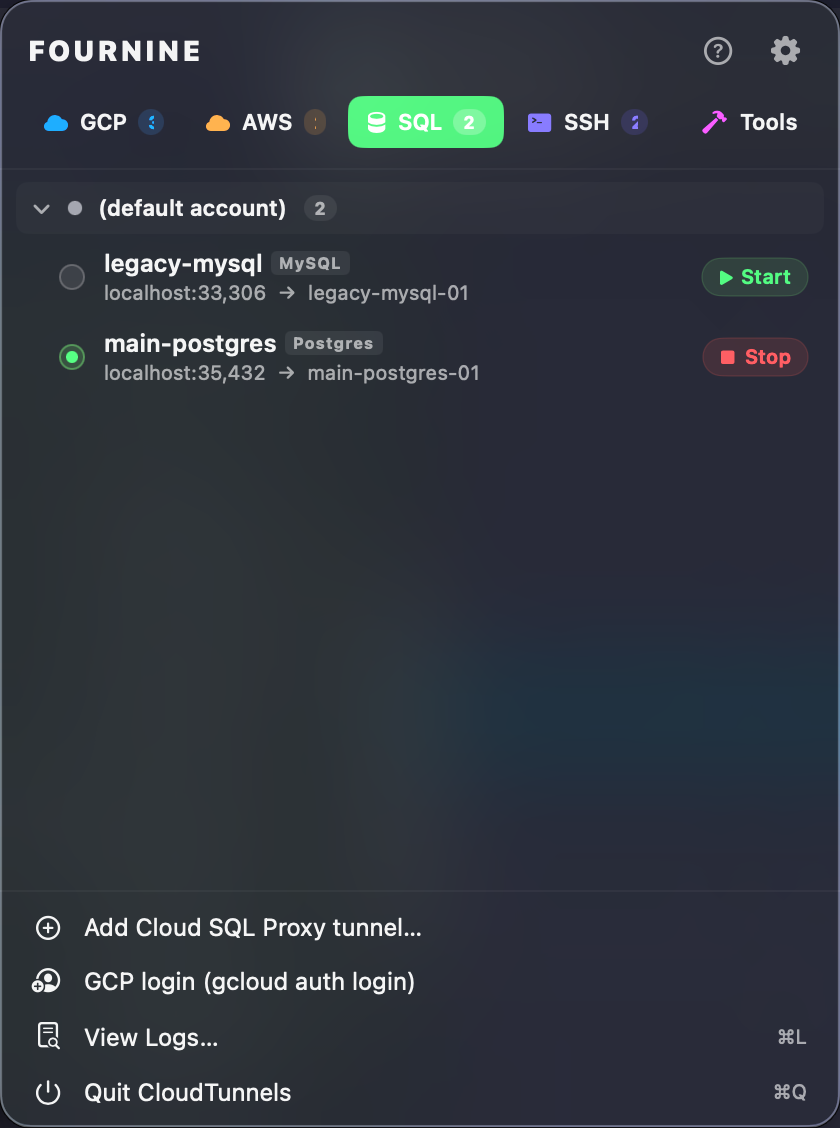
v2 proxy with private IP, IAM database auth, and service account impersonation. As toggles, not flag stew.

IAM auth + SA impersonation as checkboxes — no scripts to maintain across clients.
Cloud SQL Proxy tunnel panel
04

SSH

ssh -D / -L · iap-wrapped

SOCKS5 proxies and local forwards from your existing ssh_config aliases. Optionally wrapped in IAP.

kubeconfig auto-patches proxy-url on connect, unsets on disconnect.
SSH tunnel panel
04The little things that add up

Every quirk you've hit
by hand — solved, then boring.

These aren't features in a brochure. They're the specific moments where the CLI bites you and you reach for a sticky note. Each one is a few minutes a day you stop losing.

01

Auto-reconnect

3× retry with backoff on network drops or instance restart. Auth-expiry skips retry to avoid loop storms.

~5 min/day saved on flaky coffee-shop wifi
02

Auth-expiry detection

stderr watcher per provider. Token-revoked patterns surface a notification and pause retries before they fan out.

no more silent dead tunnels mid-debug
03

Free-port autodetect

Add-Tunnel form fills the next free local port. A second Postgres tunnel doesn't collide with the first.

~2 min/day not spent on lsof -i :5432
04

Kubeconfig auto-patch

SSH/SOCKS tunnels set proxy-url on connect, unset on disconnect. No leaked stanzas across clients.

never edit ~/.kube/config by hand again
05

Quick actions

One-click open: k9s, psql, browser, RDP, VNC, MongoDB Compass — driven by tunnel kind. No more memorizing flags.

~3 min/day in tool-launch friction
06

Calendar radar

Next-meeting banner with Join (Zoom / Meet / Teams / Webex) and a pre-meeting ping while your tunnels stay up.

never join a client call 4 min late again
05The Tools tab

23+ utilities,
zero context switches.

Stop opening jwt.io, port killers, base64 sites, online cert decoders. Everything you reach for during a debugging session is in the same window as your tunnels. Local-only — nothing leaves your machine.

06Why not just use the CLI?

Honestly — you could.
You just won't enjoy it.

Everything CloudTunnels does is technically possible with the raw provider tools and a folder of shell scripts. So here's the honest comparison.

Raw CLI Other tunnel managers CloudTunnels
Multi-account pinning per tunnel Shell hacks Global only Per-tunnel
Auto-reconnect with backoff Bash loops Sometimes 3× w/ backoff
Auth-expiry detection Silent failures Per provider
Free-port detection lsof + memory
Kubeconfig auto-patch Manual edits On up/down
Integrated toolbox jwt.io et al. 23+ utilities
Scriptable CLI It is the CLI ctun
07Install

One command.
Then drive it from the shell.

macOS 13 or later. Universal binary. Homebrew is the path of least resistance; source builds are documented for the people who want them.

$ brew install fourninecs/tap/cloudtunnels
Build from source
# clone, build, install
$ git clone https://github.com/FournineCS/cloud-tunnels.git
$ cd cloud-tunnels
$ make app          # build/CloudTunnels.app
$ make install      # /Applications
$ make install-cli  # /usr/local/bin/ctun
~ — ctun — 92×16
# list every tunnel across every client
$ ctun list
NAME                       KIND       PORT   STATUS  LAT
prod-postgres-primary      gcp-iap    5433   up      18ms
staging-rds-bastion        aws-ssm    5434   up      42ms
analytics-replica          cloud-sql  5435   up      11ms
infra-jumphost-socks       ssh        1080   up       9ms

# start one in the background, get back to work
$ ctun start prod-db --detach
 tunnel up · pid 48217 · :5433 → prod-db-01:5432

$ ctun status
4 active · 0 reconnecting · 0 failed

$ ctun stop prod-db
# also stops GUI tunnels — single source of truth
08Out in the wild

Open source.
Receipts welcome.

CloudTunnels is brand new and unapologetically targeted at a specific audience. As real users start running it across their clients, their words go here.